





A Practical Guide to Using Mobile Networks and Internet in Cherrapunjee
Cherrapunjee, also known as Sohra or Cherrapunji, is famous for dramatic waterfalls, misty hills, living root bridges, and some of the heaviest rainfall on Earth. Those same landscapes can make mobile communication less predictable than it is in a large Indian city. A phone may show a strong signal at your hotel and lose service a few kilometres away on a winding road.
A little preparation makes a significant difference. Downloading maps, carrying a second connection, saving important phone numbers, and understanding where Wi-Fi is available can prevent small network problems from affecting a full day of sightseeing. Internet access is usually adequate for ordinary travel needs, but it should not be treated as continuous everywhere.
This guide explains how to choose a SIM card, manage mobile data, find usable Wi-Fi, and stay connected while visiting Sohra and nearby attractions. The advice is useful whether you are arranging an independent trip or reviewing a Cherrapunjee travel guide before booking a multi-day Meghalaya holiday.
What Coverage Is Like In Sohra
Mobile coverage in Cherrapunjee varies with elevation, rock formations, forest cover, distance from settlements, and the position of the road. In the main town and many populated areas, travelers commonly use 4G mobile data for messaging, web searches, digital payments, and booking confirmations. The experience can change quickly when traveling toward remote waterfalls, caves, viewpoints, or villages.
A network indicator is not a guarantee of usable internet. You may have enough signal for a voice call but insufficient speed for video, map loading, or uploading photographs. During busy periods, service can also slow down when many visitors use the same nearby tower. Rain and thunderstorms may cause temporary interruptions, while landslides or road work can affect local infrastructure.
Airtel, Jio, Vi, and BSNL operate in different parts of Meghalaya, but their performance is location-specific. Local residents, hotel staff, drivers, or tour operators can often give more accurate current advice than a general coverage map. If your accommodation is outside central Sohra, ask which provider works reliably at that exact property before buying a long-term data plan.
Choosing A SIM Before Your Trip
International visitors generally need an Indian SIM registered with valid identity and travel documents. Passport details, visa information, and a photograph may be requested during the customer verification process. Requirements and activation procedures can change, so purchase a connection from an authorized retailer and check the latest rules before departure.
An eSIM may be convenient for compatible phones, especially if it can be activated before landing in India. However, international travel eSIMs often use partner networks, and their coverage depends on the local network they access. Confirm that the plan includes Meghalaya, supports data roaming in the region, and allows tethering if you intend to connect a laptop or another phone.
A physical prepaid SIM can be useful when you want local calling, SMS verification, or a backup for travel providers. Keep the original SIM from home in a labeled case rather than loose in a wallet. If your phone accepts dual SIMs, leave your home line active for banking messages while using the Indian connection for data, but check international roaming charges first.
When buying a plan, look beyond the headline data allowance. Check validity, speed restrictions after the daily limit, SMS access, domestic calling, and whether the plan requires regular top-ups. A modest daily package is often enough for navigation and messaging if you avoid automatic photo backups and high-resolution video.
Wi-Fi, Hotels, And Public Internet
Hotels, resorts, cafés, and restaurants in Sohra may offer Wi-Fi, but speeds and reliability differ considerably. A connection that works well for email may struggle with video meetings or large cloud backups. Ask whether Wi-Fi is available in guest rooms or only in reception and common areas, and whether the property has a generator or inverter for power interruptions.
Do not assume that a listed Wi-Fi network is available throughout the surrounding attraction. Many viewpoints and trails have no public internet, and some roads pass through long stretches with limited mobile service. Download directions, reservation details, attraction information, and transport contacts before leaving your accommodation.
Public Wi-Fi should be treated cautiously. Avoid online banking, sensitive account access, and entering card details on an open network unless you are using a trusted virtual private network and a secure connection. Turn off automatic joining for unfamiliar networks, use strong passwords, and enable two-factor authentication through an app where possible rather than relying entirely on SMS.
For work-related travel, confirm the connection with the property before arrival and carry a mobile hotspot option. A short outage may be manageable for ordinary holiday use, but remote work can require a second network, a power bank, and a quiet location with dependable electricity.
Connection Options At A Glance
The best arrangement depends on your phone, length of stay, need for local calls, and plans to travel beyond Sohra. The following comparison offers a practical starting point, but local performance should be confirmed shortly before your visit.
| Option | Main advantage | Possible limitation | Best suited to |
|---|---|---|---|
| Indian physical SIM | Local number, calling, SMS, and broad prepaid choice | Requires verification and changing SIM cards | Longer stays and frequent local calls |
| Travel eSIM | Can be arranged before arrival and keeps your home SIM installed | May use partner networks and may exclude calls or SMS | Short visits with an unlocked compatible phone |
| International roaming | No new SIM or setup at the destination | Can be expensive and may have fair-use limits | Brief trips and light data use |
| Hotel or café Wi-Fi | Useful for large downloads and messaging | Variable speed, privacy, and availability | Evening use at established properties |
| Portable hotspot | Connects several devices through one data plan | Needs charging and still depends on network coverage | Families, groups, or remote workers |
Before selecting an option, check that your handset is unlocked and compatible with Indian frequency bands. Some phones bought through a carrier are restricted to the original provider. Test an eSIM or roaming arrangement before departure, and store the provider’s support details offline in case activation fails after you arrive.
A dual-connection setup is often the most practical solution. For example, you could use an Indian prepaid SIM as the main data line and keep an eSIM or home SIM available as a backup. This does not create coverage where none exists, but it can help when one provider is temporarily congested or unavailable.
Practical Habits For Reliable Connectivity
Good connectivity in the hills is partly a matter of routine. Save your hotel address, driver’s number, booking vouchers, route information, and emergency contacts while you have a stable connection. Screenshots are helpful when an app requires an internet connection to display a reservation or ticket.
Use offline features in Google Maps or another navigation app, but remember that an offline map does not provide live traffic, road closures, or precise trail conditions. Mark your accommodation and planned attractions before setting out. Carry a paper note with key details as a further backup, particularly for a family group or a late return.
The following habits can reduce common problems:
- Charge your phone, power bank, and hotspot before leaving for a full-day excursion.
- Download music, films, translation packs, maps, and important documents over Wi-Fi.
- Switch off automatic app updates, cloud photo uploads, and video autoplay when using mobile data.
- Save emergency and accommodation contacts in the phone and in an offline note.
- Keep a waterproof pouch for the phone, charging cables, and spare battery during the monsoon.
Heavy rain is a serious consideration in Sohra. Water-resistant protection is useful even when the weather looks clear at breakfast, because a sudden shower can affect both your phone and your ability to recharge it. A compact power bank with enough capacity for at least one full phone charge is especially valuable on long drives and walking tours.
If your battery is low and the network is weak, avoid repeatedly searching for service. Constant signal hunting consumes power quickly. Use airplane mode when you know you will be offline, then check periodically from an open area or settlement. A car charger can help, but confirm that your vehicle or tour operator has a suitable charging socket.
Staying Connected On Excursions
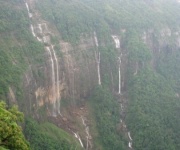
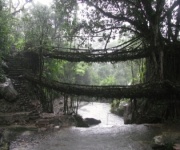
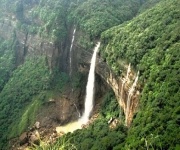
Many of Cherrapunjee’s best experiences lie beyond the central town. Nohkalikai Falls, Seven Sisters Falls, Mawsmai Cave, Arwah Cave, Eco Park, the living root bridges, and nearby villages can have different combinations of mobile coverage, Wi-Fi, parking, and walking access. Network availability may be better near a road or viewpoint than along a forest trail or inside a cave.
Do not depend on a live map to find every attraction. Some paths branch through villages or wooded areas, and map pins may indicate a general location rather than the exact entrance. Download route information and ask your driver, guide, or accommodation about current access conditions. Local knowledge is particularly important after heavy rainfall, when paths, bridges, and roads may change.
If you are traveling with companions, agree on a meeting point before beginning a walk. Keep the group together where practical and tell your accommodation or driver when you expect to return. In areas without service, a missed call or message may not go through until you reach a higher or more open location.
International travelers should keep their passport, visa documents, insurance information, and accommodation details accessible offline. India’s travel and entry requirements can vary by nationality and may be updated, so verify current official guidance before the journey. For urgent assistance in India, 112 is the national emergency number, while local hotel staff and tour operators can help coordinate practical support in areas with limited signal.
A local driver or registered guide can also reduce your dependence on internet access. They may know alternative roads, current weather conditions, nearby charging points, and which network works in a particular valley. This is one reason a well-organized package can be convenient for travelers planning several waterfalls, caves, and villages in one itinerary.
Plan Your Digital Essentials
Before leaving for Cherrapunjee, review these points as part of your packing and travel preparation:
- Confirm your phone is unlocked, charged, and compatible with an Indian SIM or eSIM.
- Arrange roaming, an eSIM, or a local SIM before relying on mobile data.
- Download offline maps, translation tools, bookings, and travel documents.
- Pack a power bank, charging cable, waterproof phone pouch, and car charger if available.
- Write down accommodation, driver, tour operator, and emergency contact details.
Connectivity should support your Meghalaya trip rather than define it. Use a stable connection at your hotel to prepare for the next day, then expect short offline periods while exploring the hills. With a backup plan and sensible data habits, you can stay reachable while giving your attention to the waterfalls, caves, forests, and living root bridges that make Cherrapunjee distinctive.
Review the available vacation packages and practical travel information, then contact the Cherrapunjee travel team to arrange an itinerary that matches your preferred network needs, accommodation style, and sightseeing plans.